Everything but the tattoo.
Inkperch keeps your bookings, deposits, clients and money in one place, so the business takes less of your time and the art gets more of it.
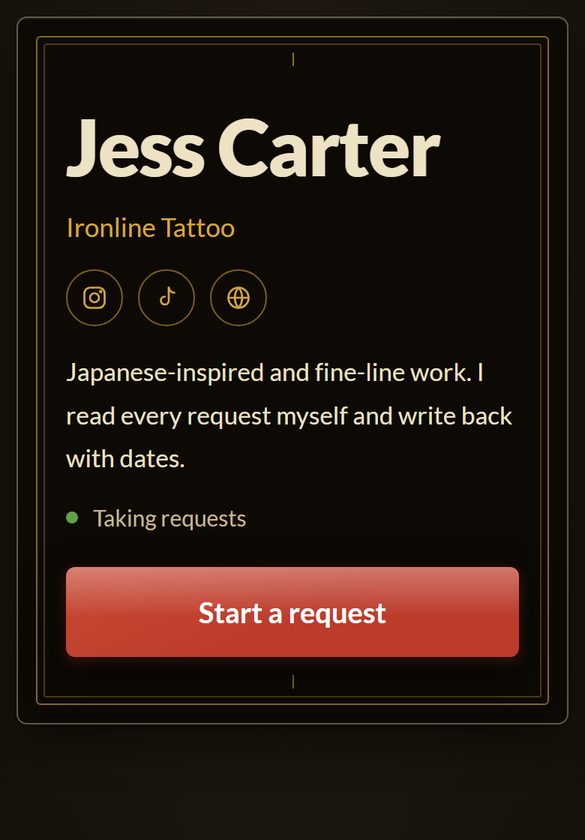






Book your own way: DMs, texts or email, with requests in one Inbox.
- Clients, sessions, calendar
- Income, receipts, mileage, profit
- Trips, conventions, walk-up mode
Your booking page. Inkperch sends the emails.
- book.inkperch.com/@you
- Card deposits and balances, with pay over time
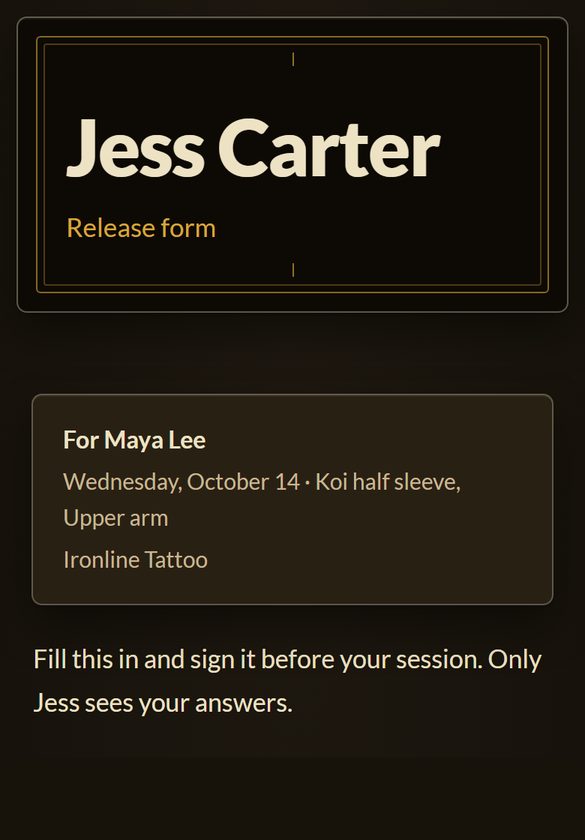
- Flash, release forms, reminder texts
- An assistant account, included
30 days free with everything. No card. See both plans
Set it up for how you work.
Pick what Inkperch handles. Turn the rest off and those screens and reminders go away. Inkperch keeps everything you logged, and you can change your picks any time in Settings.
Picks work the same on both plans.

Deposit paid
Deposit due
Deposit due
From request to a date on the calendar.
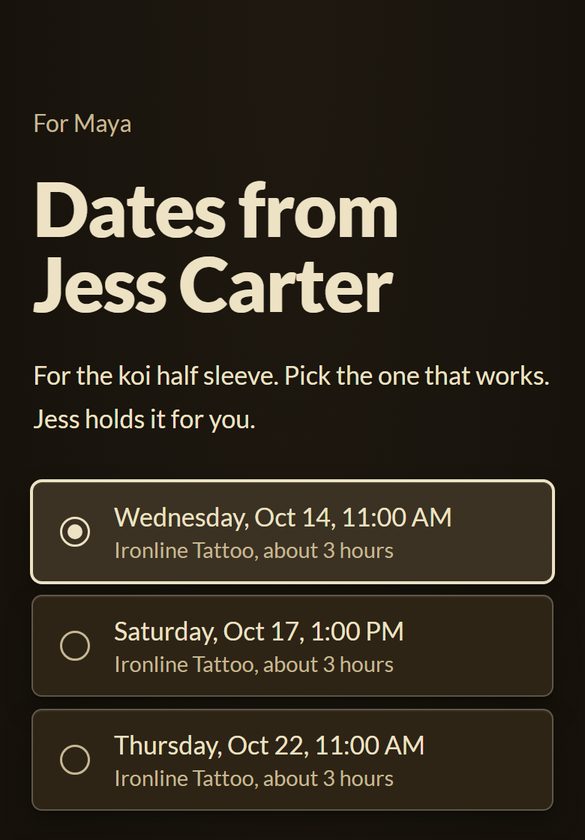
Book the date straight onto your calendar, or let the client pick an open time once the deposit is in. On Pro, you can also send dates for them to pick online.
- A request comes inA DM, text, email or web form. On Pro, your booking page too.
- Book itWho, which piece, when, the quote and the deposit.
- A deposit confirms itAsk for it and tap Deposit received when it comes in. On Pro, clients pay by card from a link. The session turns green.
- The day ofOpen the session and take payment in Wrap up.
Busy times on your phone’s calendars block booking, and your sessions show there.
Both plansClients pick an open time inside your hours once the deposit is in, never in your time off.
Both plansClients book open consult times or claim flash.
ProOnce, into your open times, up to 2 or 7 days before.
ProAll your clients need is a link.
Clients request, pick a date or a time, pay and sign in their phone’s browser. Everything they send lands in Inkperch.
Card payments happen on Stripe’s own checkout page.
The deposit, the balance and the tip.
After the session, send a pay link or show a QR code. Clients pay by card, Apple Pay or Google Pay, or over time with Affirm, Klarna or Afterpay. Card payments log themselves, with the tip on its own line.
Inkperch ProPay over time is for balances, where your Stripe account offers it.
No booking fees. No per-seat fees.
You pay one flat price. Card payments go to your Stripe account, and Inkperch takes nothing from them.
Venue adds 10% to the deposit. Tattoodo adds $10 to each booking. CO:CREATE adds $10 a booking plus 3% of each payment. Checked on their own sites, October 5, 2026.
Each client, with every tattoo and session.
Each tattoo keeps its own sessions and payments, from the first request to healed.
- Photos, release forms, prep and aftercare on each piece
- Nudges for check-ins, healed photos and touch-ups
- Past clients in the city you're heading to
- Search by name, piece, convention or shop, or Clients near me
- Prep and aftercare sheets sent as a short link, and check-in messages in your words
- A calendar that shows what's owed
Know what you made.
Log income by typing it or saying it, and snap receipts as you go. Profit shows what you kept after supplies and the shop split, month by month and trip by trip.
- Card payments log themselves on Pro, and forwarded payment emails log with one tap
- Receipts read from a photo or a forwarded email
- Miles from every drive, added up for tax time
- How much to set aside for taxes, on every payment
- Settle up with the shop: what you owe and what you keep
- Not paid yet: sessions you haven't wrapped up and deposits that haven't come in
- A year-end export ready for your accountant
Plan the trip. See what it made.
Forward your flight and hotel emails and add them to the trip in one tap. Your itinerary, booth details, notes and documents sit together, and every session and receipt from the trip adds up to its own profit.
- A day-by-day itinerary from your forwarded flight, hotel and car emails
- Trip documents on your phone the week before you leave
- The booth or shop, with your notes: load-in, wifi, when they pay out
- Sessions booked on trip dates file to the trip, with a travel deposit suggested
- A guest spot's cut replaces your home split, and each trip shows its own profit
- Upcoming conventions, with booth costs where listed
- Works with no signal on the convention floor
What you get, side by side.
One price covers booking, money and travel. We took their details from their own sites on October 5 and 8, 2026.
| Inkperch Pro | Porter | Venue | Tattoodo | CO:CREATE | |
|---|---|---|---|---|---|
| Money | |||||
| Expenses, with receipts read from a photo | Yes | Not listed | Not listed | Not listed | Not listed |
| Mileage at the IRS rate | Yes | Not listed | Not listed | Not listed | Not listed |
| Travel | |||||
| Trip and convention profit | Yes | Not listed | Not listed | Not listed | Not listed |
| Itinerary from forwarded flight and hotel emails | Yes | Not listed | Not listed | Not listed | Not listed |
| Upcoming conventions, with booth costs | Yes | Not listed | Not listed | Not listed | Not listed |
| Booking and clients | |||||
| Busy times on your own calendar block booking | Any calendar on your phone | Not listed | Google Calendar | Google Calendar | A warning, Google Calendar |
| Book from DMs, texts and web forms | Yes | Booking link | Booking link | Instagram DMs | Booking link |
| Release forms signed on the client's phone | Yes | On the $65 plan | Yes | Not listed | Not listed |
| Healed photo and touch-up nudges | Yes | Follow-up messages | Auto-messages | Not listed | Not listed |
| Assistant account | Included | Studio plan, $250 a month | Not listed | Not listed | Not listed |
Two plans. Pick after 30 days.
Yearly saves about two months.
Everything for your business.
Everything for your business and your clients.
30 days free with everything. No card. We charge nothing until you pick a plan.
Questions artists ask.
Do I need a card to start?
No. You get 30 days with everything, Pro included. We charge nothing until you pick a plan, and we remind you before the 30 days are up.
What happens when the 30 days end?
Pick a plan to keep adding things. Until you do, everything you logged stays yours to open and export.
Does it work with no signal?
Yes. Income, expenses, drives, clients and sessions save on your phone first and catch up when you're back online. Anything that reaches a client, like a message or a pay link, needs signal.
Can I keep booking through DMs, texts and email?
Yes. Open the client, tap Book, and the date goes straight on your calendar. On Inkperch, anything you send the client, like a deposit ask, goes out from your own texts or email. On Pro, Inkperch can email it for you.
Does anyone else see the money I log?
No one sees your income, expenses or profit unless you choose: not your shop, your clients or other artists. If you add an assistant, they see your money only if you turn Money on for them. Inkperch never sells your data or shares it with your shop, and we only look at your account if you ask us for help. Card payments go through your own Stripe account, so Stripe sees those.
Everything but the tattoo.
If you stop paying, everything you logged stays yours to open and export.